Storelly tutorials
Step-by-step tutorials for Storelly apps, written from real stores with real screenshots: install, set up products, what shoppers see and how orders arrive.
AI Engraving Text by Storelly for Wix
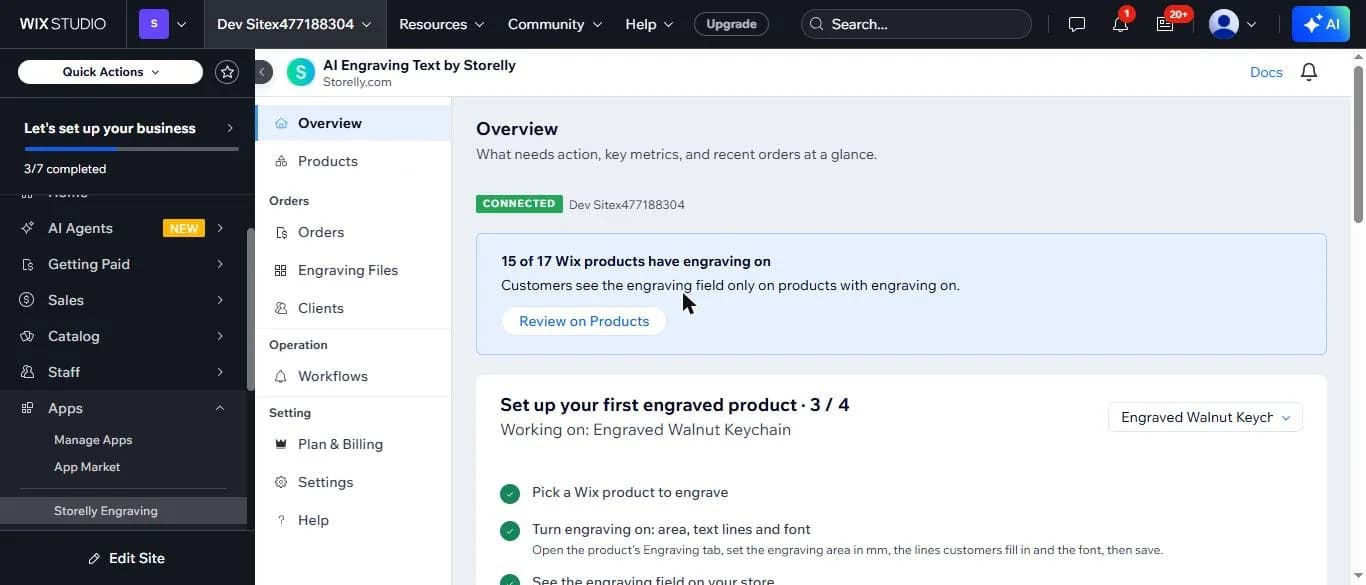 Part 1 of 5Get started with AI Engraving Text on Wix: the app at a glanceOpen AI Engraving Text in your Wix dashboard, read the setup checklist and see which products already sell with engraving.
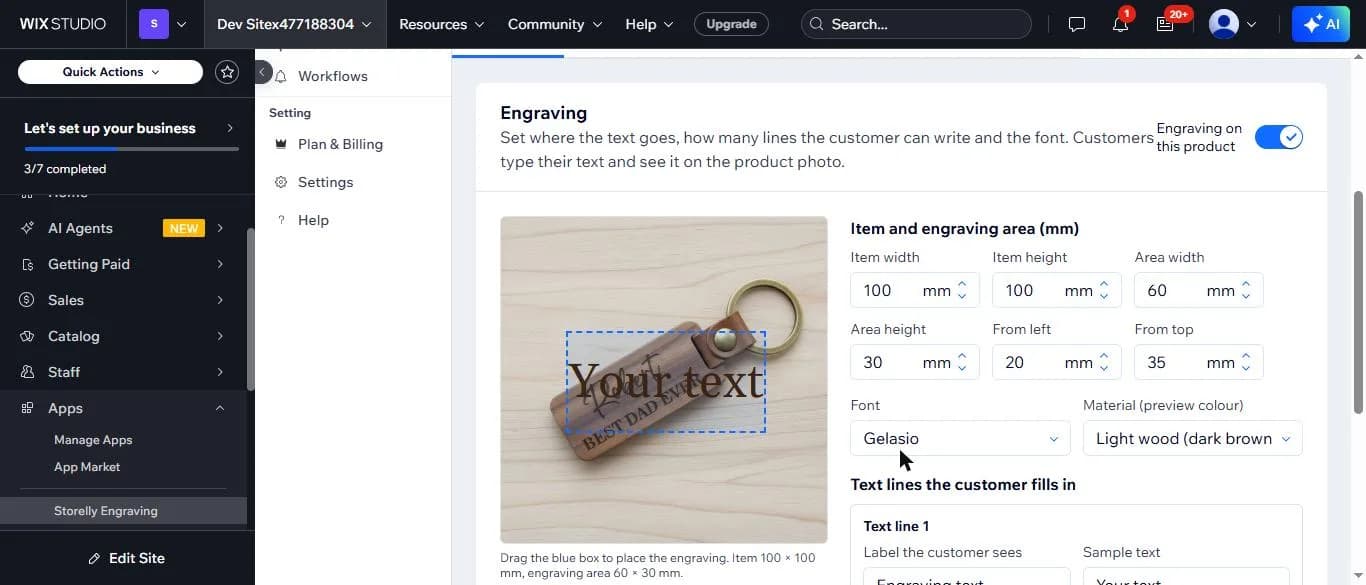 Part 2 of 5How to turn on engraving for a Wix product: area in mm, text lines and fontSet the engraving area in millimetres on your product photo, choose the font and material, add the text lines shoppers fill in, then save.
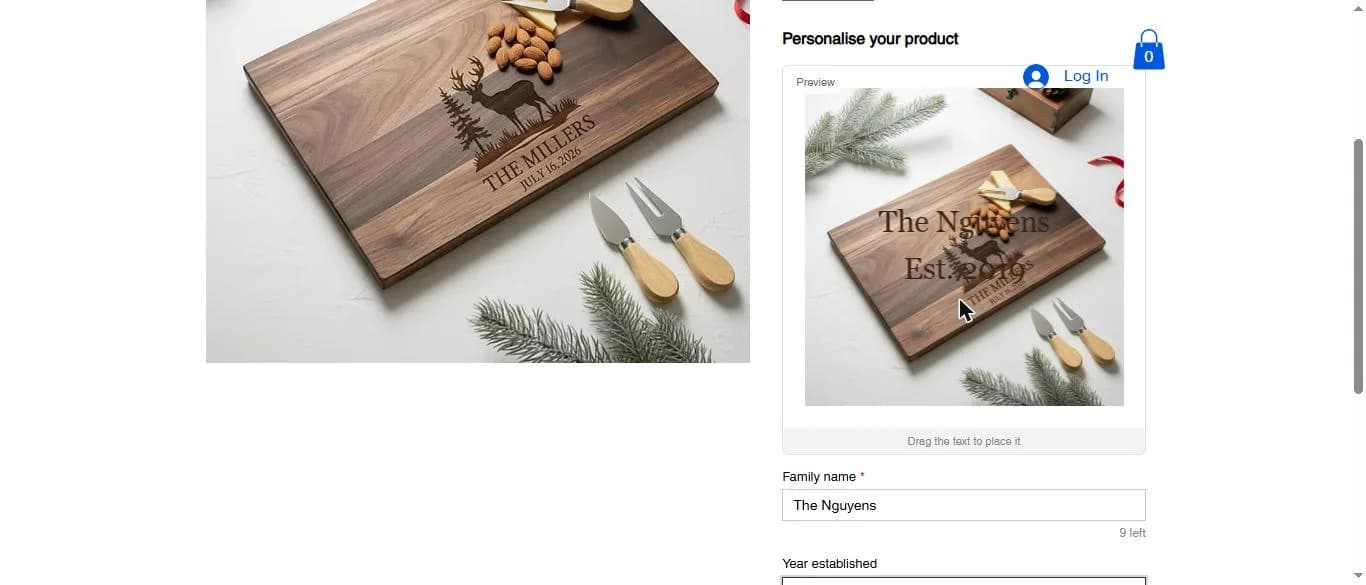 Part 3 of 5What shoppers see: the engraving field and live preview on your Wix product pageCheck your product page as a shopper: type the engraving text, watch the live preview on the product photo and add to cart.
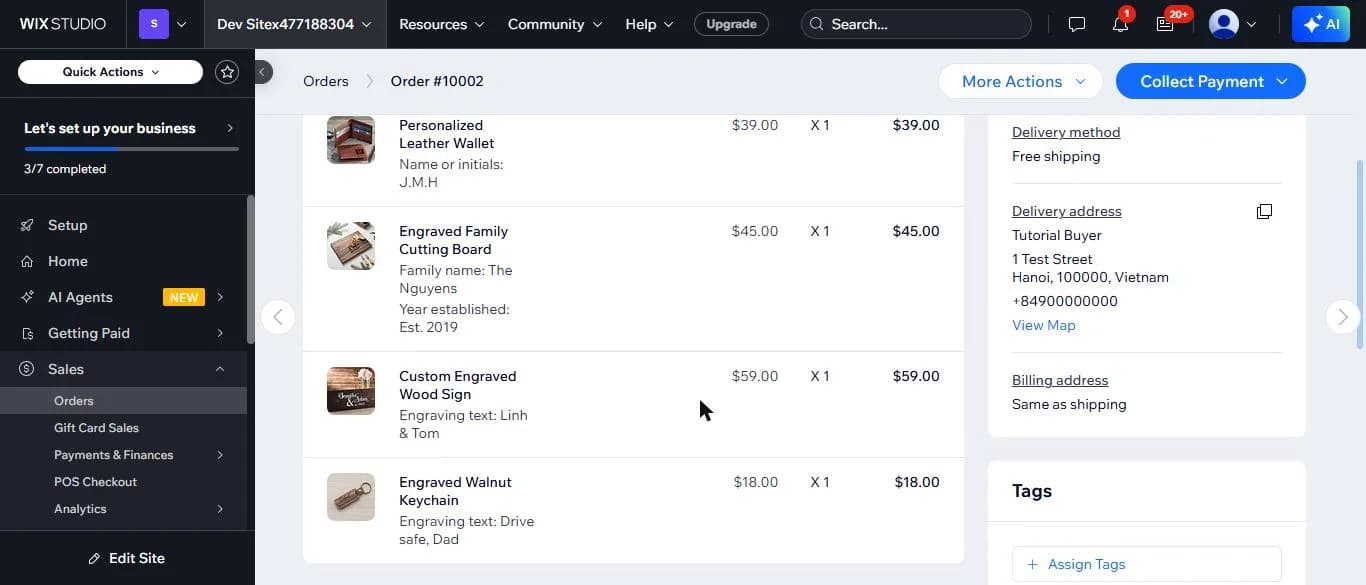 Part 4 of 5Where to find the engraving text in your Wix cart, checkout and ordersFollow the engraving text from the cart to the thank-you page, the Wix order and the Orders page of the app.
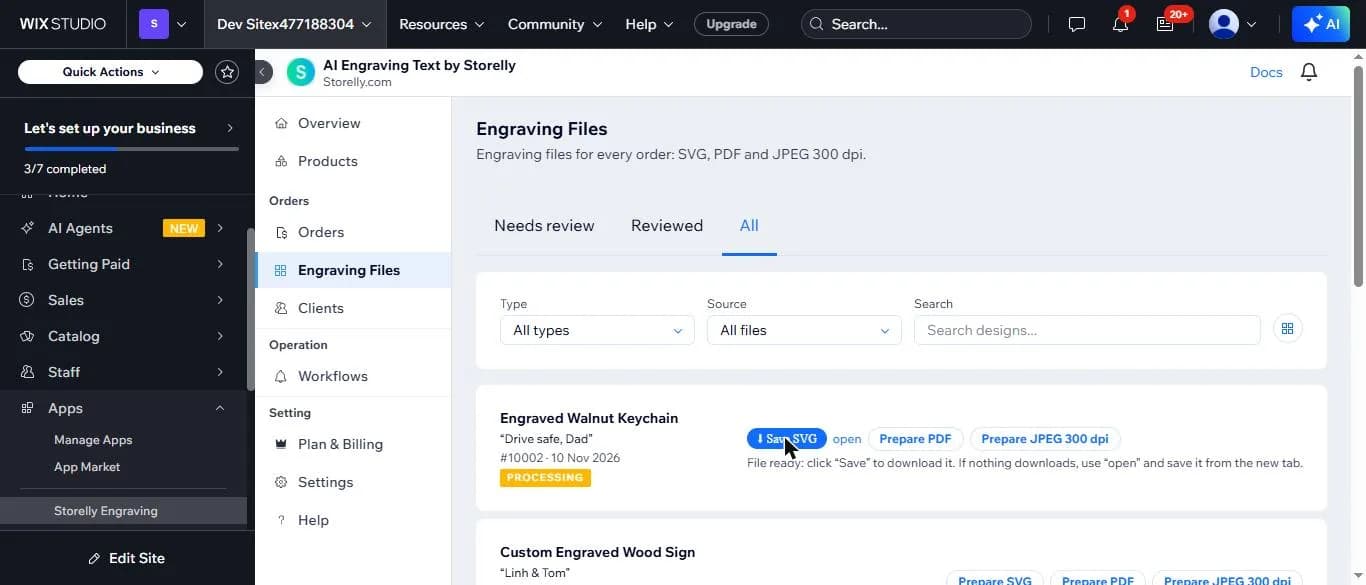 Part 5 of 5How to download engraving files from Wix: SVG, PDF and JPEG at 300 dpiGet the engraving file for each order line in SVG or PDF at the real size in mm, or as a 300 dpi JPEG, inside your Wix dashboard.