One till and one stock for your shop and WooCommerce.
Sell at the counter in your browser while your online orders land in the same stock. Barcode scanning, receipts, registers and returns, connected to WooCommerce.
Free plan · No credit card required
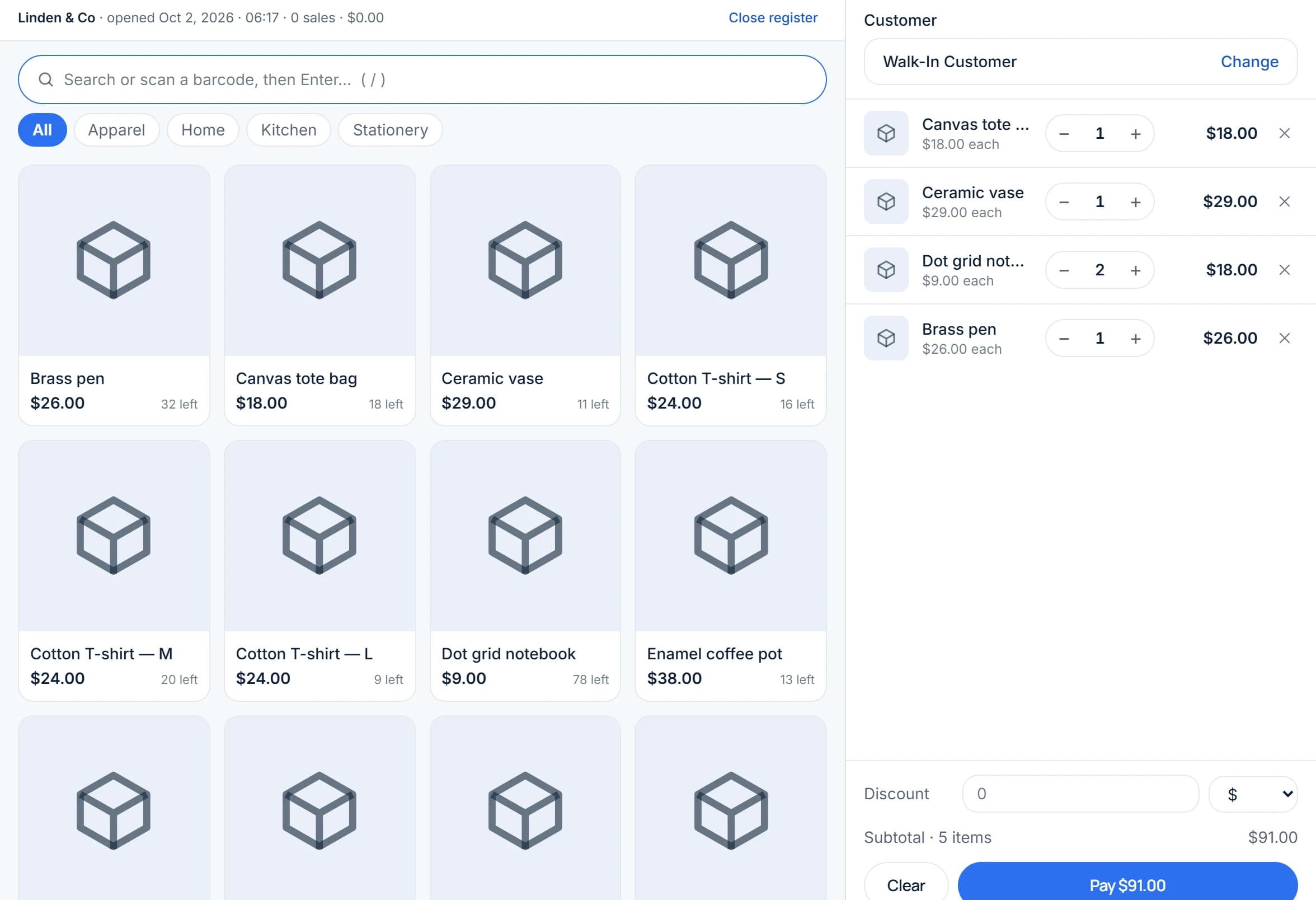
Everything at the counter, tied to your online store.
All of this is in Storelly today, in one account with your stock, purchasing and reports.
A till in the browser
Search for a product or scan its barcode, build the sale, add a discount and take payment, on the computer or tablet you already have.
One stock for the counter and the web
Connect WooCommerce and your products and categories sync, and online orders come in as sales in the same stock, so a counter sale and a web order draw on the same count. Selected paid plans.
Payments recorded your way
Record how each sale was paid, in cash or by any payment method you use. Open and close the register, and see totals by method and the cash that should be in the drawer.
Receipts in your own layout
Print receipts with your shop’s details and numbering, and handle returns and refunds.
Customer prices and history
Attach a customer to a sale, give a customer group its own price adjustment, and see what each customer has bought.
Stock you can count on
Every sale updates stock at its location. Add locations for more shops, transfer stock between them and write off losses with a reason.
Selling in three steps.
Nothing to install on your computer: the till runs in your browser.
Add your products
Add them one by one, import a CSV file, or bring your item library across from Square. Sizes and colours become versions of one product.
Connect WooCommerce
Install the Storelly ERP plugin on your WordPress site, get a connection code in Settings → WooCommerce, and paste it into the plugin. No password is shared with your shop.
Open the register and sell
Open the register at the start of the day and sell. Close it to see what was taken, by payment method.
Questions about the till and WooCommerce.
Can't find what you're looking for? Reach out and our team will walk you through it.
No. The point of sale runs in the browser on a computer or tablet. A barcode scanner and a receipt printer are optional extras that work with it.
Install the Storelly ERP plugin, connect it with a one-time code from your dashboard, and choose which Storelly location your shop stands for. Products and categories sync, and online orders are imported as sales into the same stock as your counter sales. The WooCommerce connection is part of selected paid plans.
No. Storelly records how each sale was paid, such as cash or card, and prints receipts, but it does not process card payments. Keep your card reader and record those sales as paid by card.
No. Storelly runs in the browser and needs an internet connection to sell.
Yes. Each team member signs in with their own account and a role such as cashier, which decides what they can open and change. Roles can also be limited to particular locations.
WooCommerce. Other platforms such as Shopify, and marketplaces, are not supported yet.
Yes. Every new account starts on the free plan with no credit card, with limits on products, invoices and locations that the pricing page spells out. WooCommerce sync is on selected paid plans.
Start running your shop on Storelly.
Add your products and record your first sale today. Every new shop starts on the free plan.
Free plan · No credit card required