One count you can trust
Every sale, purchase and transfer moves the same stock numbers, so what the system says is what is on the shelf.
Storelly brings your point of sale, stock across every location, purchasing and your WooCommerce store into one system — so your counts, your customers and your numbers always agree.
Free plan · No credit card required
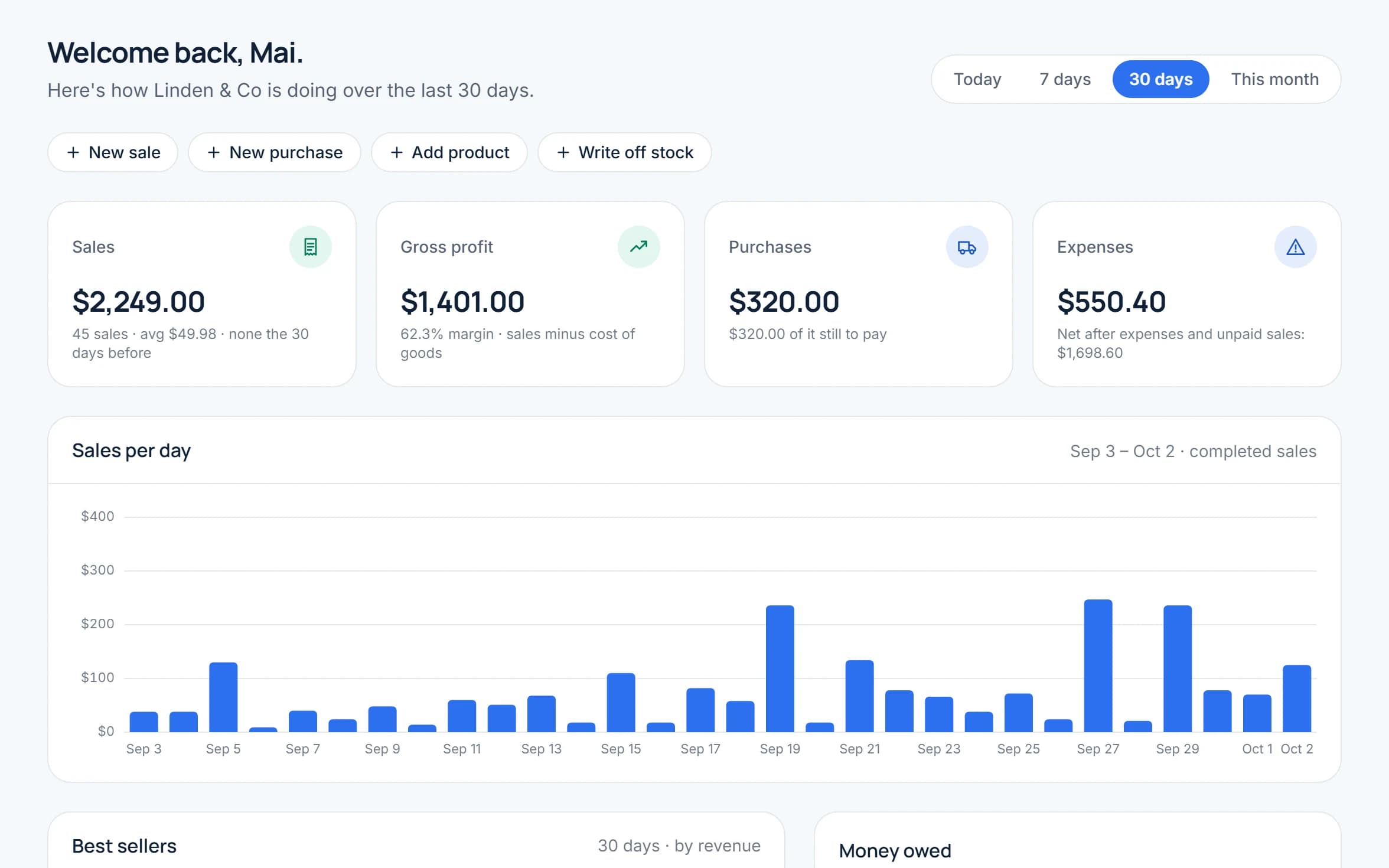
Storelly is sales and inventory software for small and growing shops. Ring up sales at the counter with the built-in point of sale, track stock across every location, buy from your suppliers, and keep every customer's history — all in one account.
Already selling on WooCommerce? Connect your store and your products, categories and online orders sync into the same system as your in-store sales (on selected paid plans).
Everything a shop needs day to day, from the first sale at the counter to the end-of-month numbers.
Nothing to install and no special hardware needed — it runs in your browser.
Create your account
Sign up with your email. Your shop, first location and free plan are set up for you.
Add your products
Add products with prices, tax and low-stock alerts, in sizes or colours if you sell them — or import them from a CSV file.
Start selling
Sell at the counter with the POS or connect WooCommerce. Every sale updates your stock.
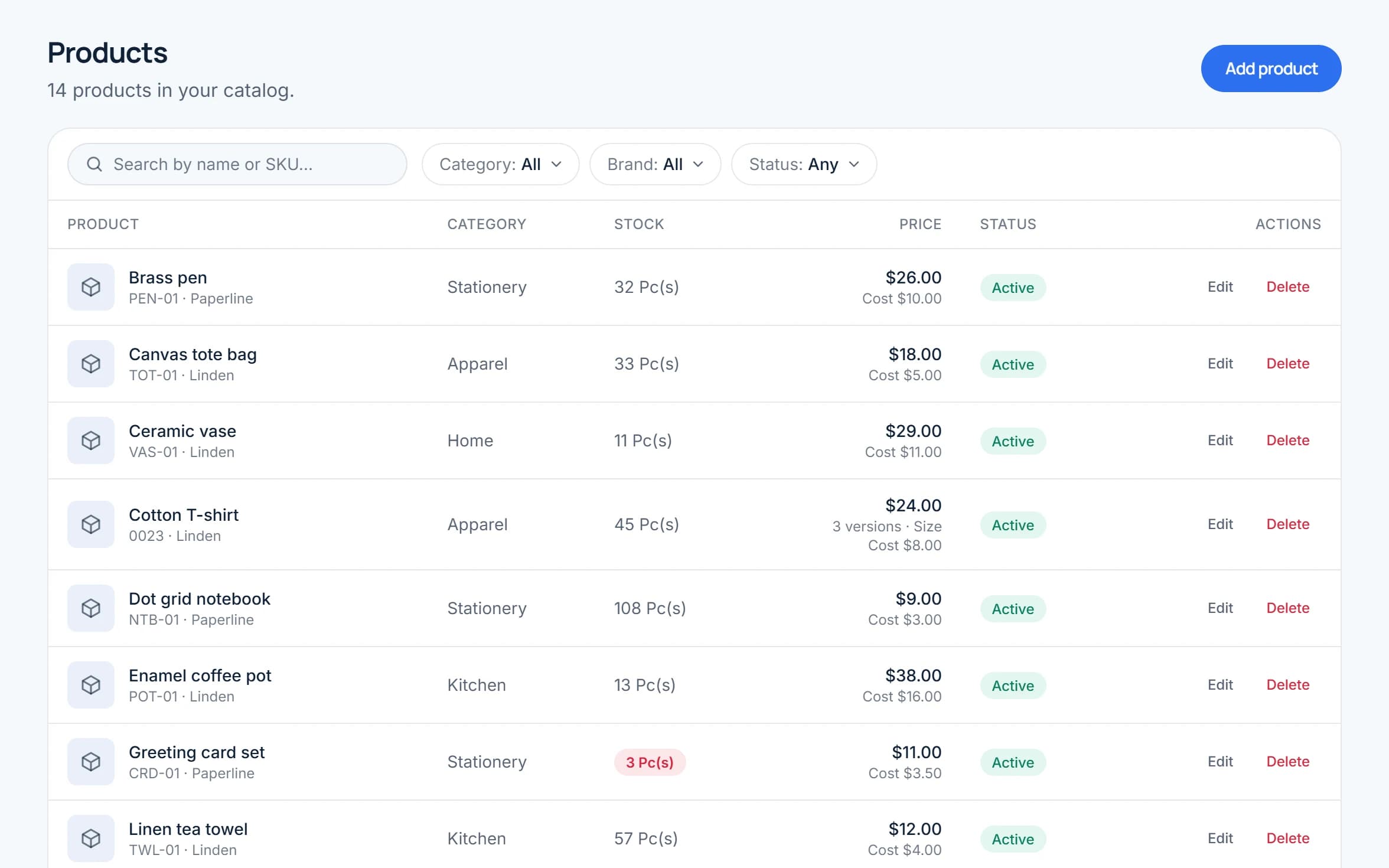
Four things we care about, from your first sale at the counter to your busiest day of the year.
Every sale, purchase and transfer moves the same stock numbers, so what the system says is what is on the shelf.
POS sales and WooCommerce orders land in the same sales and customer history instead of two separate systems.
Every new shop starts on the free plan. Upgrade when you outgrow its limits or want WooCommerce sync.
Your customer list and sales history belong to your business — not to a marketplace that carried the sale.
No more double entry
Sell once and your stock, sales and customer records all update together — no re-typing at closing time.
Know what is running low
Set a low-stock alert per product and see what to reorder before a best seller runs out.
Numbers you can act on
Sales, profit, stock and expense reports are built in, so you can see how the shop is doing without a spreadsheet.
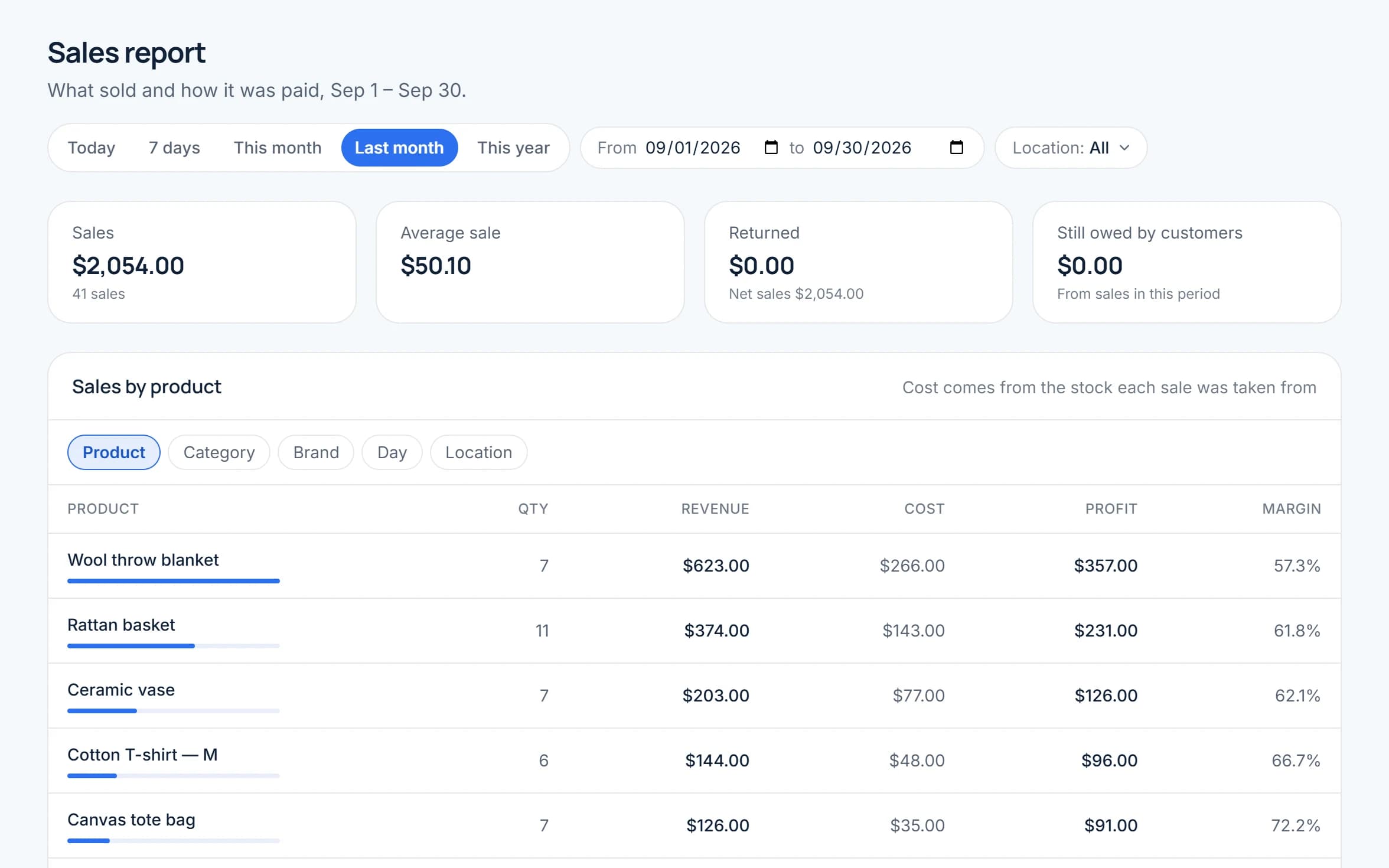
Selling, stock and your online store — three jobs that usually mean three different tools.
A browser-based POS with product search, barcode scanning, multiple payment methods and printed receipts in your own layout — on the computer or tablet you already have.
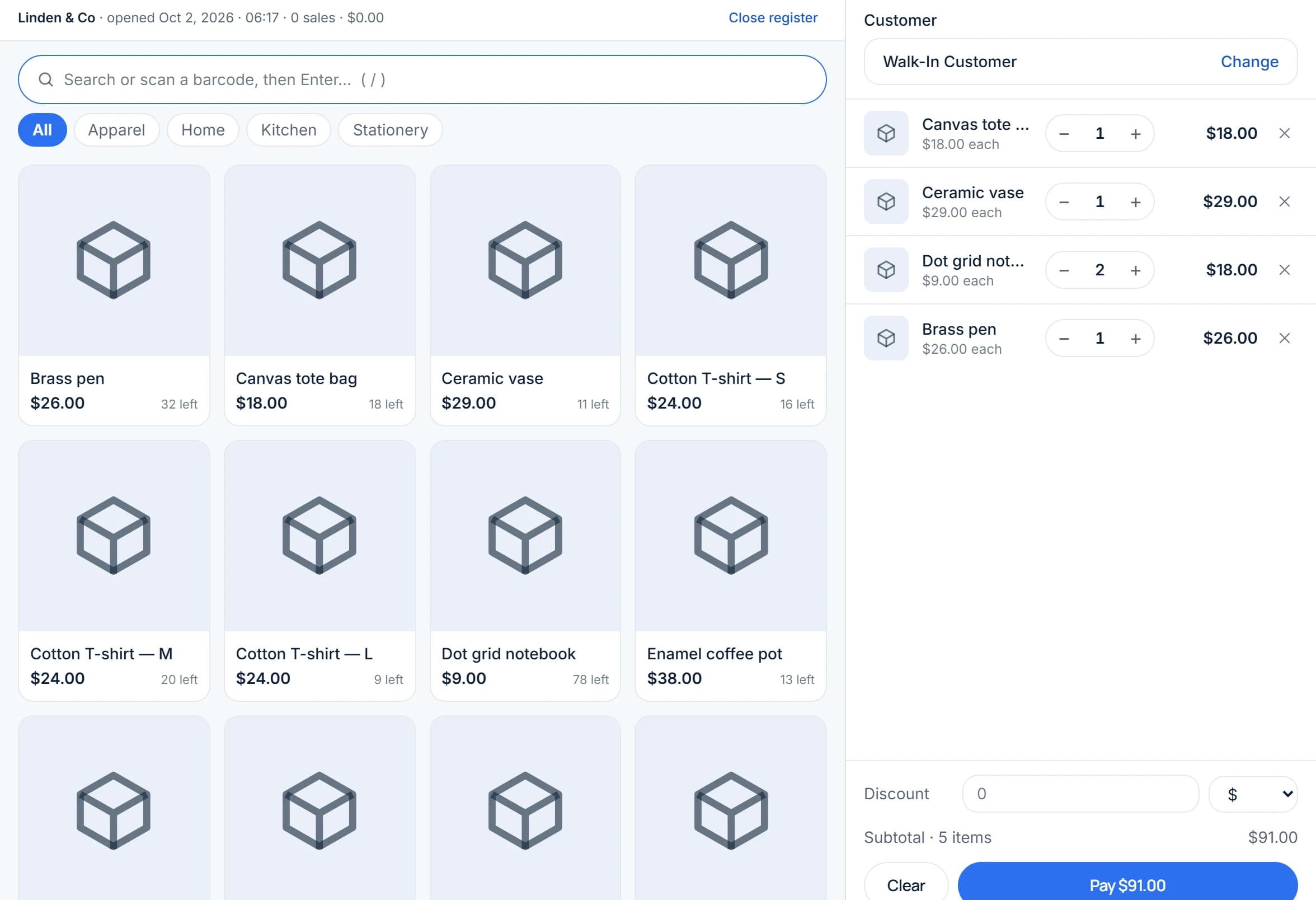
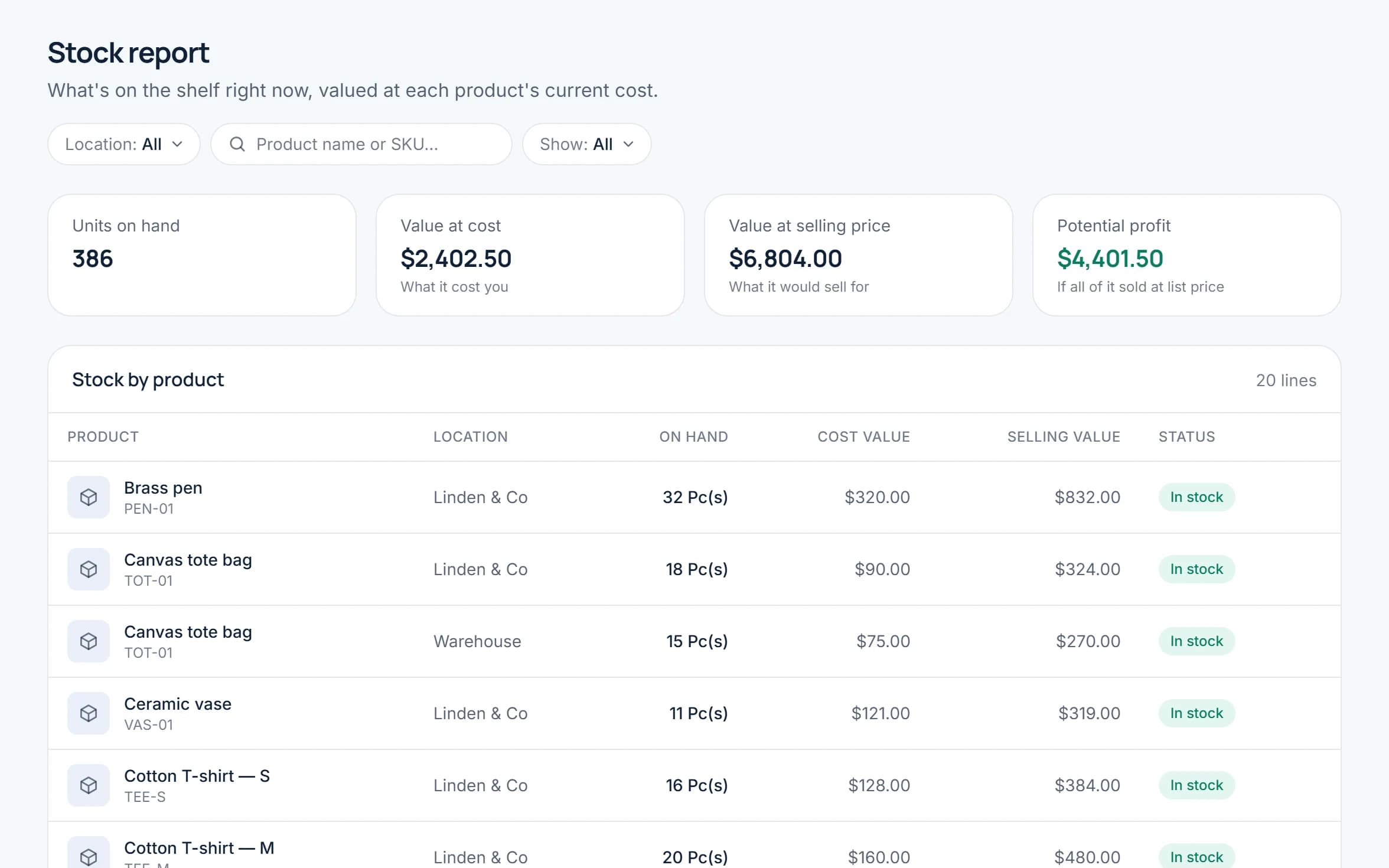
Track quantities per location, move stock between stores, and adjust for damage or recounts. Every change is recorded, so you always know why a number moved.
Connect WooCommerce to sync your products and categories and bring online orders into Storelly, right next to your in-store sales. Available on selected paid plans.
Can't find what you're looking for? Reach out and our team will walk you through it.
Storelly is sales, inventory and point-of-sale software for small and growing shops. It covers selling at the counter, stock across your locations, buying from suppliers, customer history and reports — in one account that runs in the browser.
No. Storelly runs in the browser on a computer or tablet. A barcode scanner and a receipt printer are optional extras that work with it.
Yes, if your store runs on WooCommerce. On selected paid plans you can connect it to sync products and categories and import online orders. Other platforms such as Shopify, and marketplaces, are not supported yet.
Yes. Add each store or warehouse as a location, track stock separately for each one, and transfer stock between them.
Yes. Import products (including ones sold in sizes or colours), customers and suppliers from a CSV file. Every row is checked before anything is added, and a file is imported whole or not at all.
Yes. Each team member signs in with their own account and a role, such as cashier, that decides which parts of Storelly they can open and what they can change. You can edit the roles or make your own.
Yes. Every new account starts on the free plan, which includes a limited number of products and invoices. Paid plans raise or remove those limits, and some add WooCommerce sync. See the pricing page for every plan, upgrade any time from Settings → Plan in your dashboard, or contact us and we will walk you through the options.
Add your products and record your first sale today. Every new shop starts on the free plan.
Free plan · No credit card required